
I love designing original characters (OC’s) but sometimes I struggle to come up with ideas. I made this dice challenge as a fun way to counteract that.
I start by rolling a dice to determine the features of my character (there are dice apps if you don’t own any) Use your discretion, sometimes there’s something that doesn’t fit your vibe, or it inspires you to do something else – that’s fine! The page is just to help you get those creative juices flowing!
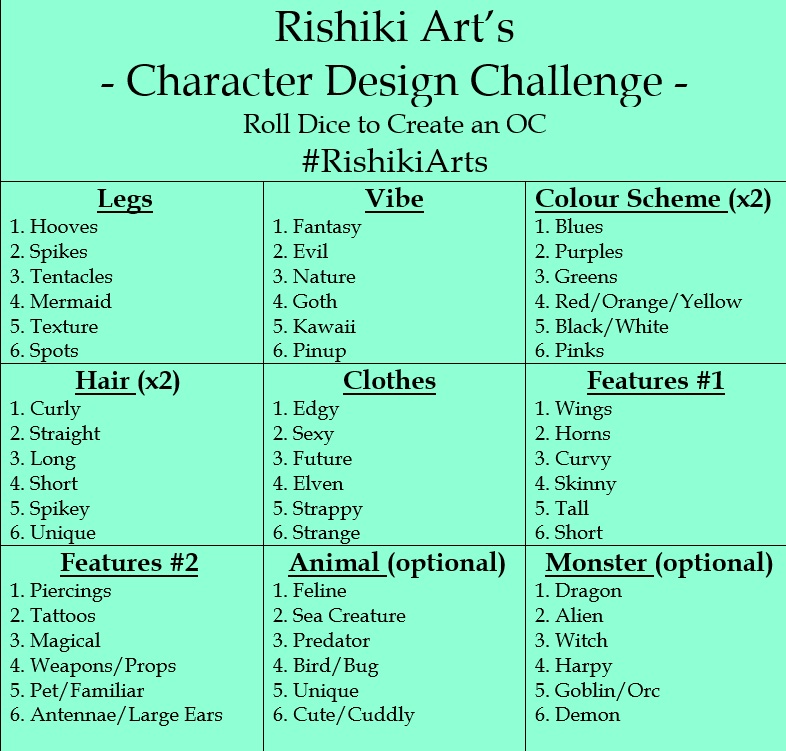
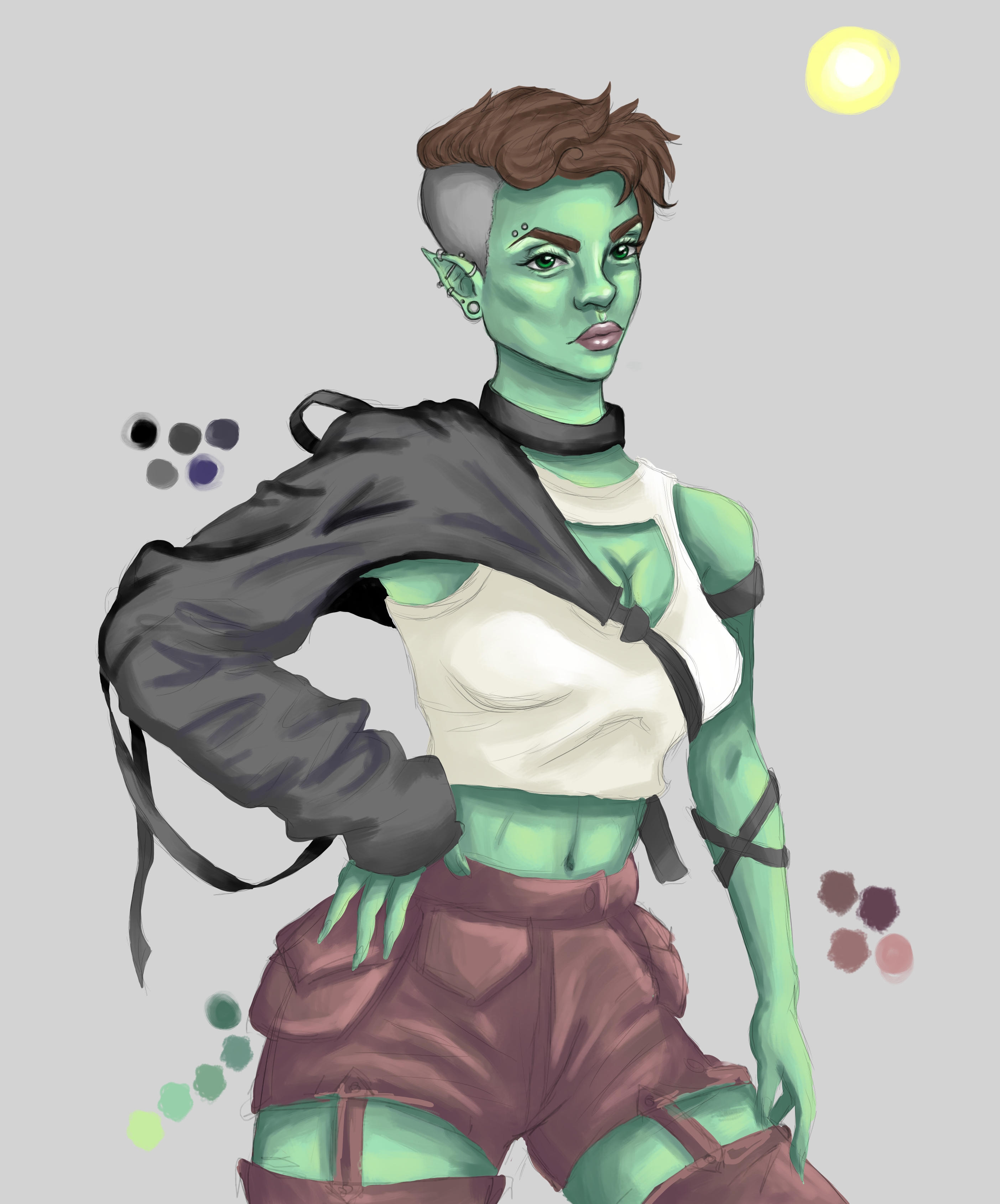
After you’ve got your features you can start sketching out some ideas, I like to be freeform with this stage and just play around a bit. Once I have the character fleshed out a little bit more, I look for references on google or take pictures of myself if I can’t find the right pose. There are also posing apps that work well. I’ll be continuing the tutorial with watercolours, but you can do this challenge with any of your favourite mediums. I make sure to leave and come back to my sketch, I tend to notice mistakes more that way, it also gives my brain time to think about the piece and come up with other aspects for it.
Next, I create my good copy pencil drawing on my watercolour paper. After I'm happy with the design I ink it with a 01 Sakura Micron pen since they are the only ones I found that don't smudge with paint. I like alternating between loose organic linework and precise, depending on the piece.
Once the inking is done I erase the pencil and start layering the watercolours until I’m happy with the look. I think watercolours look best when you slowly build up the layers of colour. I do a combination of wet on dry and wet on wet to get the desired effects for the character and background.
One of my favourite parts of the process is adding the details, I love taking a white gel pen or a fine-tipped brush and some white acrylic or gouache and adding some highlights and little finishing touches. I believe its great practice to switch up your techniques, even if you don’t like the way it turns out you might discover uses for it or other little gems to work into your next piece! I love adding little texture details or dots and swirls in the background. The finishing touches make all the difference! My biggest problem is knowing when to stop, I tend to go overboard with the little details and can end up ruining the piece. Take your time, and I’d suggest adding things then assessing before adding more.
Unfortunately, while filming the TIKTOK video I went too far back and it deleted the previous nights work (all part of the learning process!) Because of that I lost the step by step video of the watercolour, but hopefully it's still helpful!
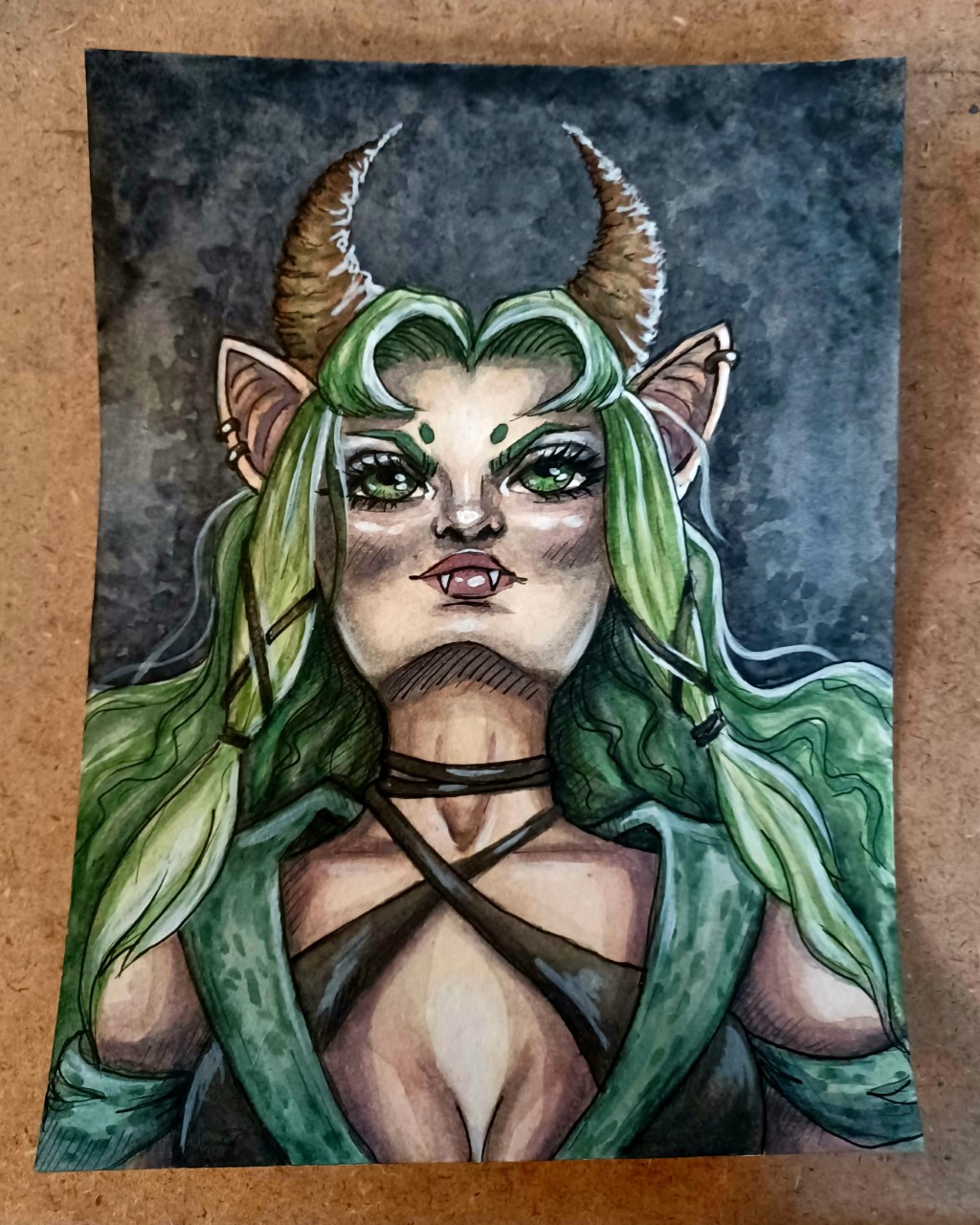
I hope this character design challenge has been fun!
Post on Instagram so I can see everyone's cool characters using the hashtag:
The rich text element allows you to create and format headings, paragraphs, blockquotes, images, and video all in one place instead of having to add and format them individually. Just double-click and easily create content.
A rich text element can be used with static or dynamic content. For static content, just drop it into any page and begin editing. For dynamic content, add a rich text field to any collection and then connect a rich text element to that field in the settings panel. Voila!
Headings, paragraphs, blockquotes, figures, images, and figure captions can all be styled after a class is added to the rich text element using the "When inside of" nested selector system.
The rich text element allows you to create and format headings, paragraphs, blockquotes, images, and video all in one place instead of having to add and format them individually. Just double-click and easily create content.
A rich text element can be used with static or dynamic content. For static content, just drop it into any page and begin editing. For dynamic content, add a rich text field to any collection and then connect a rich text element to that field in the settings panel. Voila!
Headings, paragraphs, blockquotes, figures, images, and figure captions can all be styled after a class is added to the rich text element using the "When inside of" nested selector system.
