
.png)
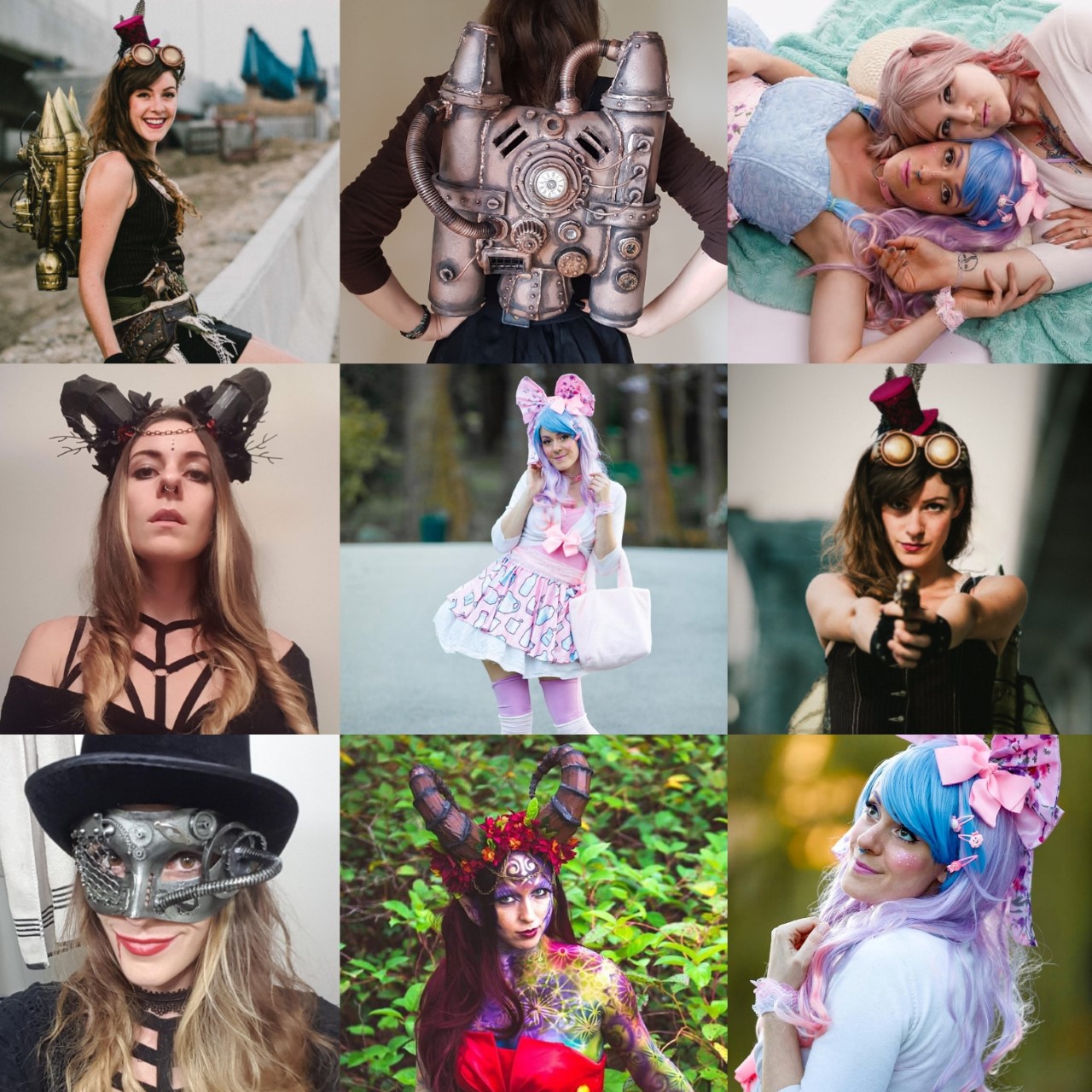
Etsy is an incredible website for any creator wanting to start selling their work. It helps artists reach the world market and find buyers for their creations. It is especially wonderful since it is relatively cheap to set up and maintain your shop, very easy to use, and connects makers with buyers. Some artists have very niche work such as myself; in Victoria the demand for expensive steampunk and cosplay costumes is very low, but on Etsy I can access a huge market of interested buyers! If you listened to my previous podcast post you’ll know Etsy is also a great place to generate “hot leads”, meaning a place where people are actively looking to buy products. Yet ANOTHER amazing feature is the plethora of analytics that Etsy provides! There is a huge section highlighting traffic to your store, revenues, and detailed descriptions of all the other analytics you may want to make your shop thrive!
.png)
One of my favourite things about Etsy is the fact that it is so incredibly easy to use. Once you set up an account it will walk you through every step of the store creation process in a very clearly stated way. From choosing a store name that isn't already taken, to customizing your store so it looks nice and fits your brand. I’ll go through the process of creating a new item listing to give you a sense of how easy it is.
1. Keywords
In each listing you want to make sure to have keywords in your title as well as the tags. A typical listing title for one of my products might look like this: Steampunk Jetpack | Cosplay Sci-Fi Fantasy Costume |
Adding keywords will help people see your work when they are searching similar things.
.png)
2. Pictures
Having multiple high quality pictures are so important for making sales; you want them to be clear and really highlight the product. There are apps for removing the background, or blurring it out which can help keep the focus on your work. You also want to show your product from different angles and in use as well. Another important part is making sure the thumbnail is cropped to show the best section of your work, since that is the first thing people see.
.png)
3. Categories
Etsy then gives you a chance to choose the category (such as art prints or canvas) You can also pick colour options and an occasion if it applies (such as Halloween or Valentines day) It will also ask if you want to renew manually or automatically, I like auto since I don't have to worry about items being sold out and disappearing from the shop page.
4. Description
This is another important section, it gives you the chance to tell the viewer more about your product, you can choose to add some of your own flavour to the description or just stick to the simple specs and facts about it. You also might want to give some ideas about how it could be used, or any other important details. I like adding a combination of a stylized intro text paired with bullet points for the specs, and for my made-to-order pieces I add a bottom section highlighting the customizable options and timeframe of creation.
5. Tags & materials
Tags are another great option for adding more keywords for SEO. Think about things people would search for when looking for similar products.
Pro tip: you don't have to separate them all. Instead of adding: “costume, cosplay, fantasy” as separate tags you can put as many in one as the word count allows. This way you can add even more words to your tags!
The materials is another chance to add things people might search for. I also like to add some flavour if I have space for it. So instead of only listing things like metal, plastic, and rubber; I might add things like magic, imagination, and creativity. I take any chance I can to show the fun and whimsical nature of my brand.
6. Finish up
The final things on the listing are price, quantity, variations, and shipping. For price I would spend time thinking about all the materials that go into your piece, the amount of time you spend, as well as the Etsy fees. I like to set my quantities high so I don't have to go in and add more when they sell but that will depend on the type of product you’re offering. Variations is another place you can show if you have different versions of the same piece; you can also do them as separate listings. I prefer separate listings since it gives me more of a chance to dominate customers' search results, but it is the more expensive way. Shipping can be tricky, but I would recommend going onto your postal service website and looking at the price for the size and weight of your product boxed up and checking for multiple countries. Then you can make different shipping profiles for your products to save time for the next listing.
Each listing is 20 cents which is very cheap, but it does add up depending on how many things you are listing, and that price gets charged every 4 months. Etsy does charge a transaction fee of 5% and a processing fee of 3% on each sale you make. It seems steep, but think about how many more people you are reaching with this app! In my mind it is definitely worth it. You should also work those fees into your price.
Analytics
Make sure to be checking the shop manager section often. It will tell you what’s working or not. This gives you extremely valuable information for making the most of your shop and areas to improve. It also shows where the traffic is coming from which can be great when thinking about connecting all your various social media accounts and which ones are actually leading to sales!
.png)
.png)
Segment
For people like me that can't seem to make a decision about what they want to focus on, you’ll find making item segments very useful. For example I divide my store into the following segments: costumes, art prints/stickers/originals, and jewellery.
Featured items
You can choose your 4 best, or most eye-catching, products to feature at the top of your page. I use this segment to show a range of product types and price points.
Branding
Think of your Etsy shop as a brand, add your story, process pictures/videos, and make sure you think about your branding for every aspect of the shop customizing process. Make sure you have a recognizable logo to entice new buyers and stick in the minds of previous customers as well.
The rich text element allows you to create and format headings, paragraphs, blockquotes, images, and video all in one place instead of having to add and format them individually. Just double-click and easily create content.
A rich text element can be used with static or dynamic content. For static content, just drop it into any page and begin editing. For dynamic content, add a rich text field to any collection and then connect a rich text element to that field in the settings panel. Voila!
Headings, paragraphs, blockquotes, figures, images, and figure captions can all be styled after a class is added to the rich text element using the "When inside of" nested selector system.
The rich text element allows you to create and format headings, paragraphs, blockquotes, images, and video all in one place instead of having to add and format them individually. Just double-click and easily create content.
A rich text element can be used with static or dynamic content. For static content, just drop it into any page and begin editing. For dynamic content, add a rich text field to any collection and then connect a rich text element to that field in the settings panel. Voila!
Headings, paragraphs, blockquotes, figures, images, and figure captions can all be styled after a class is added to the rich text element using the "When inside of" nested selector system.
